The problem it solves
Instead of switching between signals, risk notes, exchange screens, and spreadsheets, OFC combines the workflow into one cockpit.
OFC Quant Workflow Toolkit
AI signals, risk controls, execution assistance, and trading records.Built by a 21-year-old college student, focused on research-first trading workflows.
Exchange names belong to their respective owners. OFC is a third-party software tool, not an official exchange product. Trading involves risk, and OFC does not promise trading results.
WHAT IS OFC
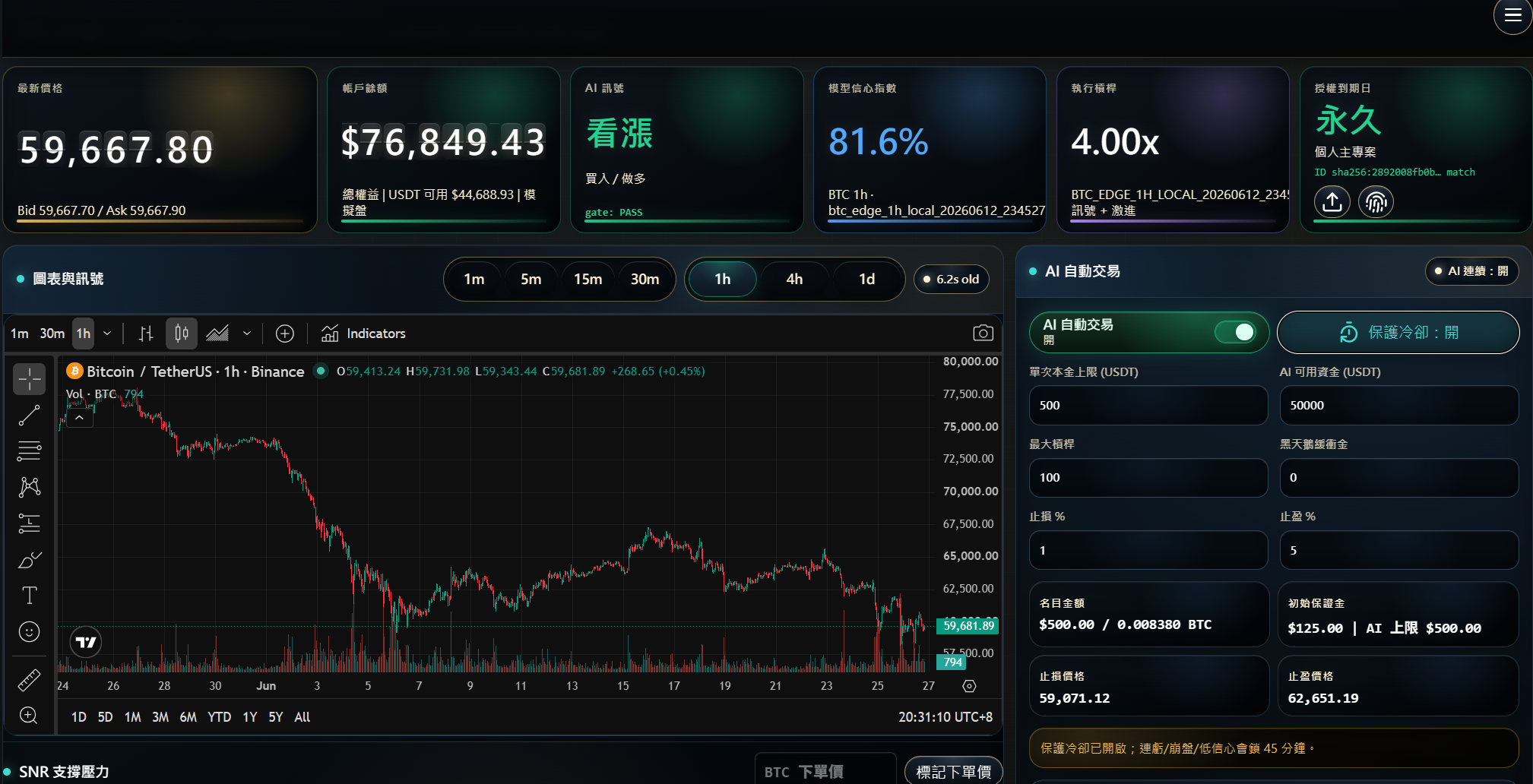
OFC sits between research and execution: it displays model output, applies local risk settings, assists approved API workflows, and keeps operation records.
Instead of switching between signals, risk notes, exchange screens, and spreadsheets, OFC combines the workflow into one cockpit.
Display signals, apply capital and position limits, assist exchange API execution when enabled, monitor status, and save records.
No discretionary trading, no asset custody, no exchange password collection, no withdrawal permission, no investment advice, and no promised result.
A software license, Docker image delivery, license setup, installation guidance, support scope, and the features included in the selected plan.
CORE MODULES
Review market signals, risk status, and trading records without placing orders.
Assist user-configured API workflows with demo/live reminders, permission warnings, position limits, capital caps, cooldowns, leverage boundaries, and records.
Add SMA, SMC, and Wyckoff manual strategy templates on top of the execution-assistance workflow.
API SAFETY
OFC prioritizes permission boundaries, position limits, cooldown rules, and manual pause paths before any execution workflow is used.
API keys should include only the permissions needed for reading and trading, not withdrawals or asset transfers.
Verify records, execution settings, stop logic, and close-position flow with small exposure first.
Keep a manual pause path for abnormal markets, data issues, or API problems.
Software can improve discipline and review speed, but it cannot remove market risk or promise profit.
RISK DEFENSE
Risk control is a workflow, not a slogan. Test capital caps, cooldowns, API failures, disconnections, and stop conditions before live use.
Reserve part of the account as untouchable capital so no strategy can consume the full balance at once.
If API reads time out or market data becomes unreliable, stop new execution assistance and keep manual intervention available.
After a stop-loss event, enforce a cooldown window before any new entry is allowed.
VERIFICATION
OFC is an early independent studio tool. Before connecting an exchange workflow, focus on asset safety, API boundaries, demo testing, and clear risk settings.
API credentials should stay in your local product environment. The website does not ask for your exchange secret or withdrawal permission.
Confirm market data, records, cooldowns, position limits, and stop rules before considering live mode.
Manual pause, capital caps, position limits, leverage boundaries, and records should be tested before production use.
Signals are probability references for market-structure review, not guaranteed calls.
LIVE SNAPSHOT
This panel displays the latest local signal snapshot. It does not place orders and does not promise trading results.
Preparing live refresh...Signal Only
Synced from the local trading toolkit.
decision traceSignal display only. Always apply your own risk rules before any trade.
PRODUCT VIEW
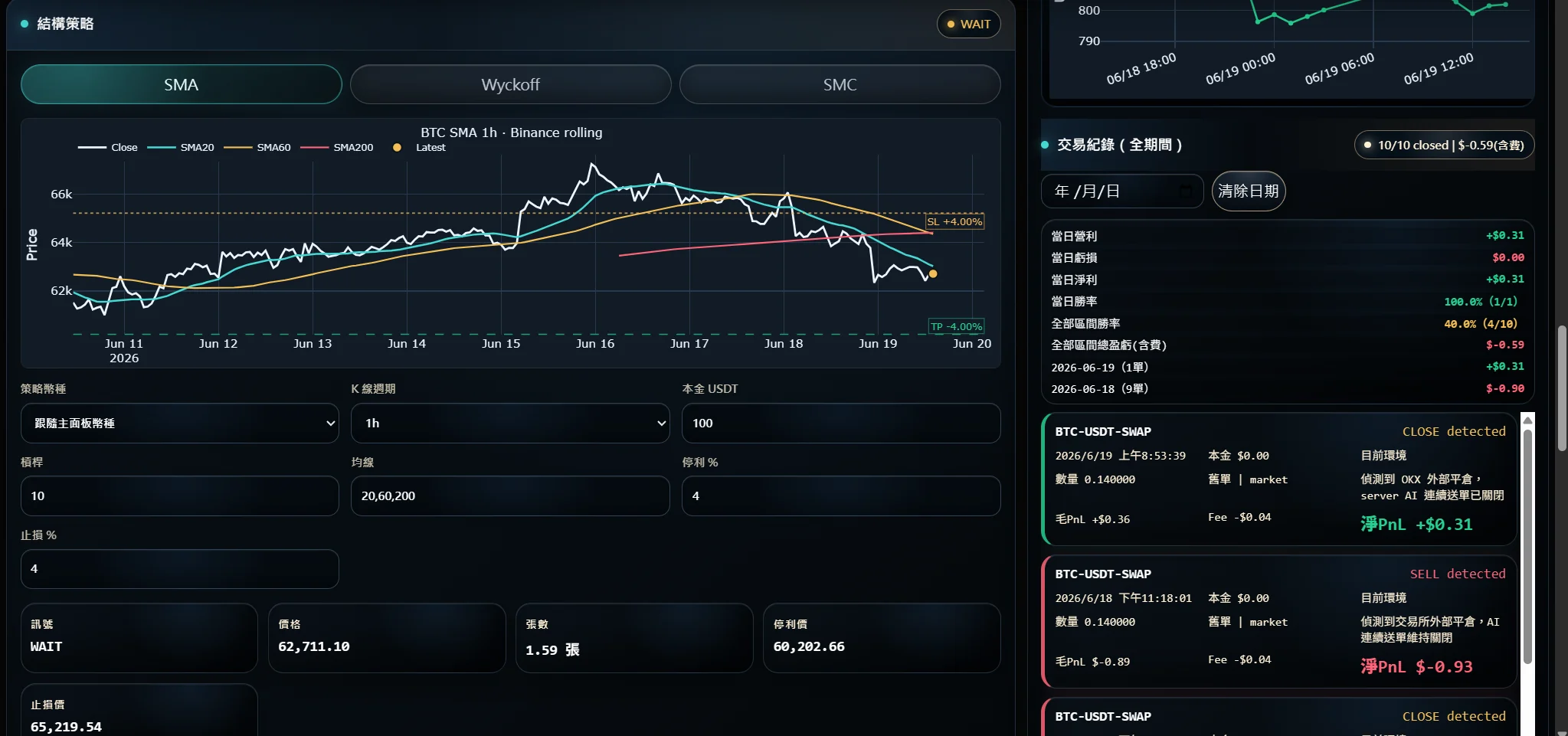
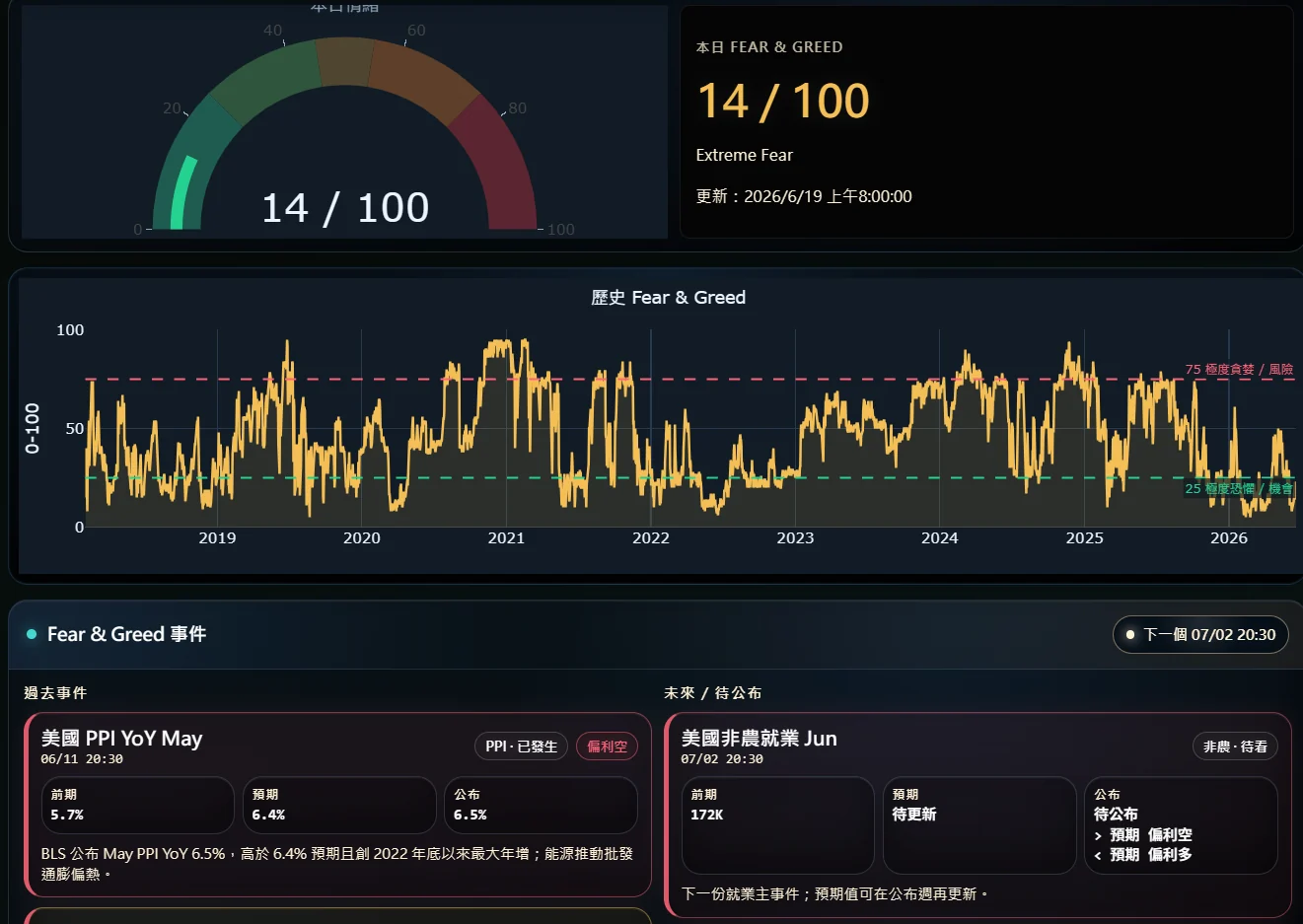
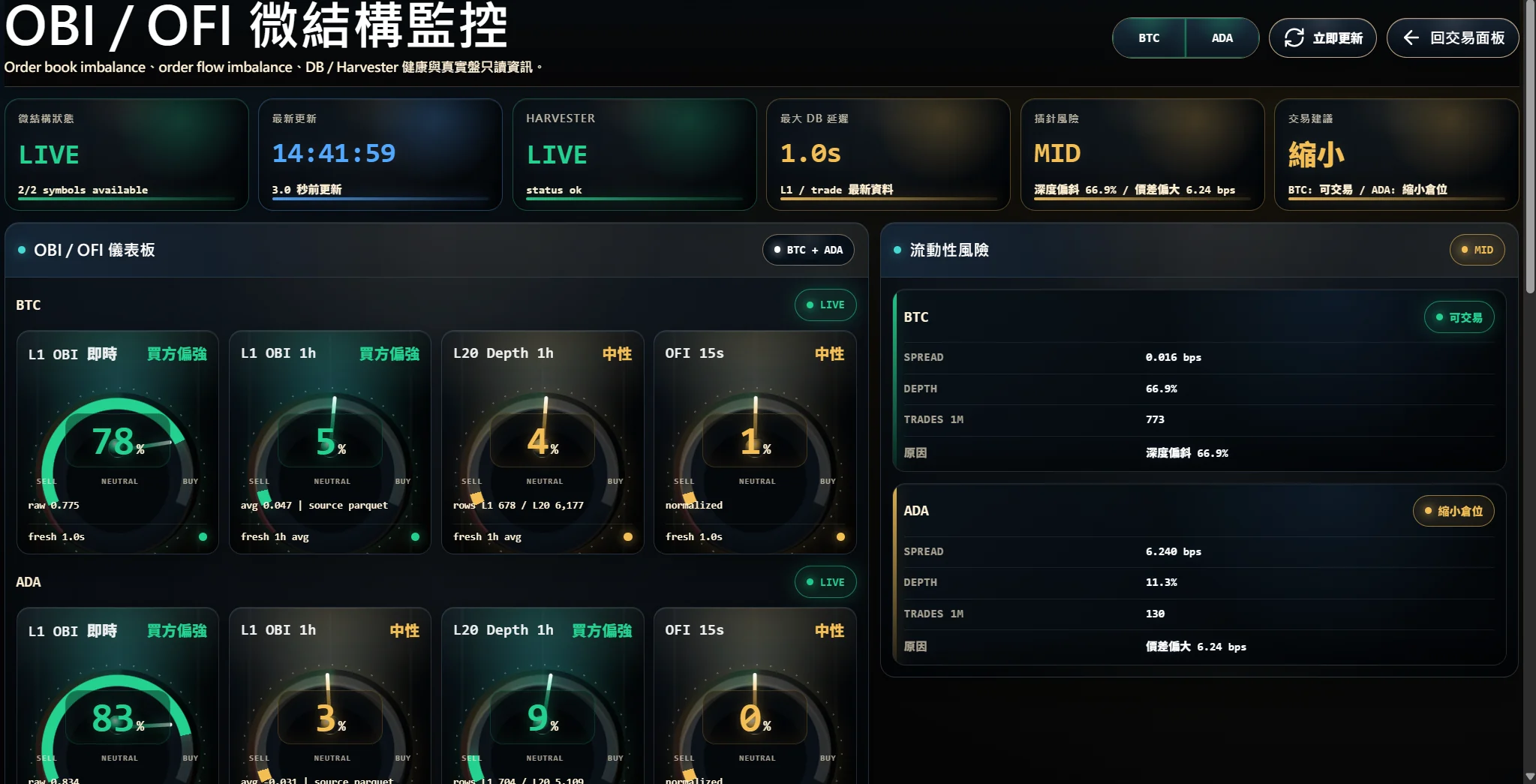
Swipe or use the arrows to review positions, strategy status, sentiment, and OBI / OFI monitoring screens.
1 / 4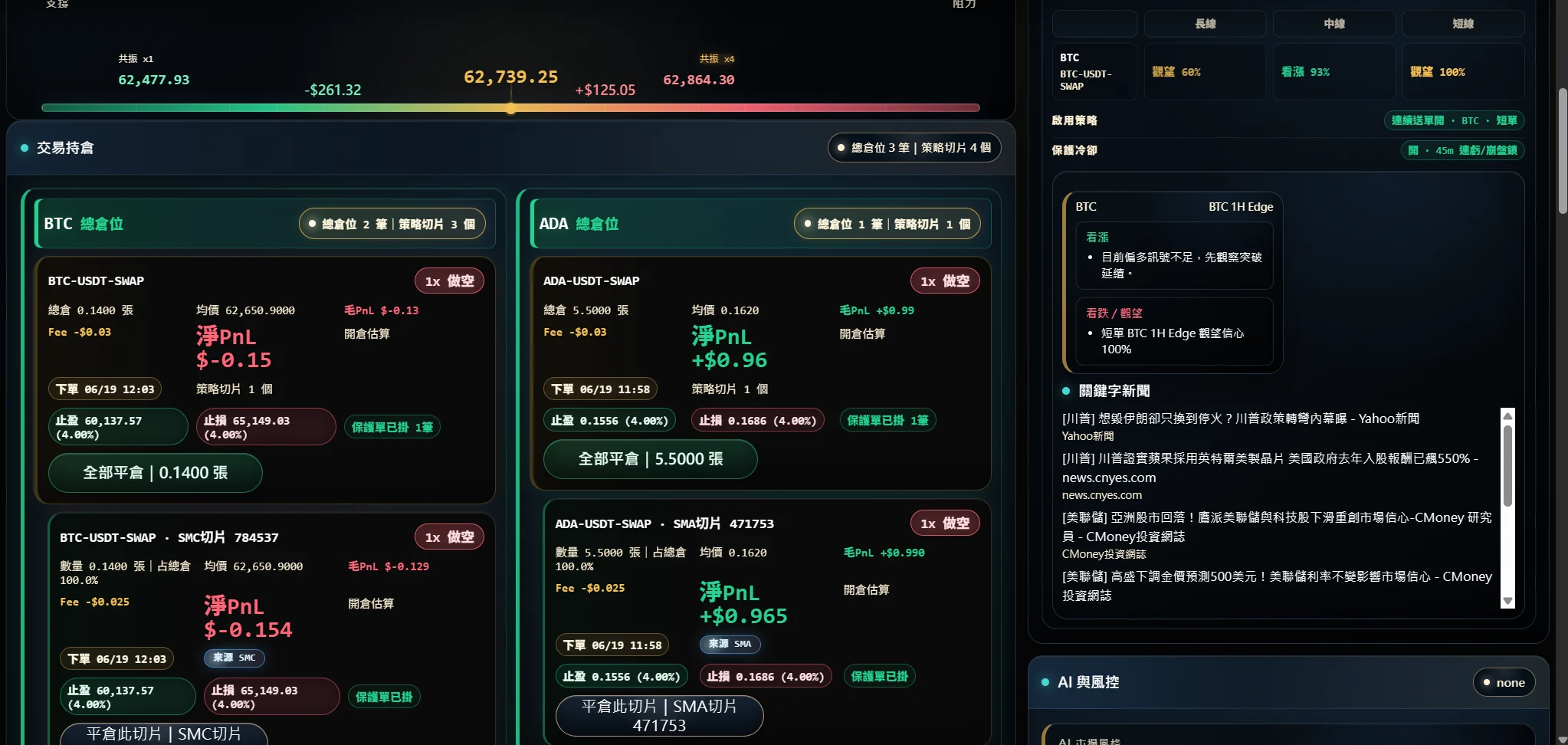
RESOURCES
Each guide keeps its own URL so users can open the exact workflow they need.
Open the English setup and safety guide.
Read guide OKX bot risk controlsOpen the English setup and safety guide.
Read guide Engine vs bot guideOpen the English setup and safety guide.
Read guide OKX API key safetyOpen the English setup and safety guide.
Read guide Automation risk guideOpen the English setup and safety guide.
Read guide Signal usage guideOpen the English setup and safety guide.
Read guide Futures risk controlsOpen the English setup and safety guide.
Read guide Binance setupOpen the English setup and safety guide.
Read guide Bybit setupOpen the English setup and safety guide.
Read guide Bitget setupOpen the English setup and safety guide.
Read guide Gate.io setupOpen the English setup and safety guide.
Read guide Pionex setupOpen the English setup and safety guide.
Read guide BingX setupOpen the English setup and safety guide.
Read guide Funding and withdrawal safetyOpen the English setup and safety guide.
Read guide Taiwan regulated exchange checklistOpen the English setup and safety guide.
Read guide Exchange comparisonOpen the English setup and safety guide.
Read guide Stocks vs crypto comparisonOpen the English setup and safety guide.
Read guide Crypto research toolsOpen the English setup and safety guide.
Read guideUSD PRICING
Prices are listed in USD. Paid plans are monthly software licenses and may change as feature scope and support levels change.
Free access for selected early testers. Includes feedback reporting and guided setup.
Free for 30 daysSignal review, risk status, and trading records without order execution.
USD $10/moAPI execution assistance after users configure their own exchange API, with permission checks, caps, cooldowns, and records.
Alpha early-bird USD $22/moExecution Assistant workflow plus SMA, SMC, and Wyckoff manual strategy templates.
Alpha early-bird USD $32/moALPHA ACCESS
Leave your email, operating system, exchange, and workflow notes.
DELIVERY
After payment or Alpha approval, the success page provides the fingerprint flow, Docker image download, and license download.
Download and run the fingerprint tool first.
Copy the machine fingerprint and paste it on the license download page.
Download the Docker image and signed license.json.
Install Docker Desktop, run the image, then import license.json in the local setup screen.
Send your use case, data sources, and workflow needs. OFC will help decide whether the toolkit is a good fit.